WoW Arena Browser not loading: find the failed stage
If WoW Arena Browser is not loading, first identify which project and which stage failed. A blank page, a graphics error, a rejected guest request and an empty queue describe different problems. This guide helps you choose a useful next check without clearing a guest session or pretending that a local feature test can repair a server.
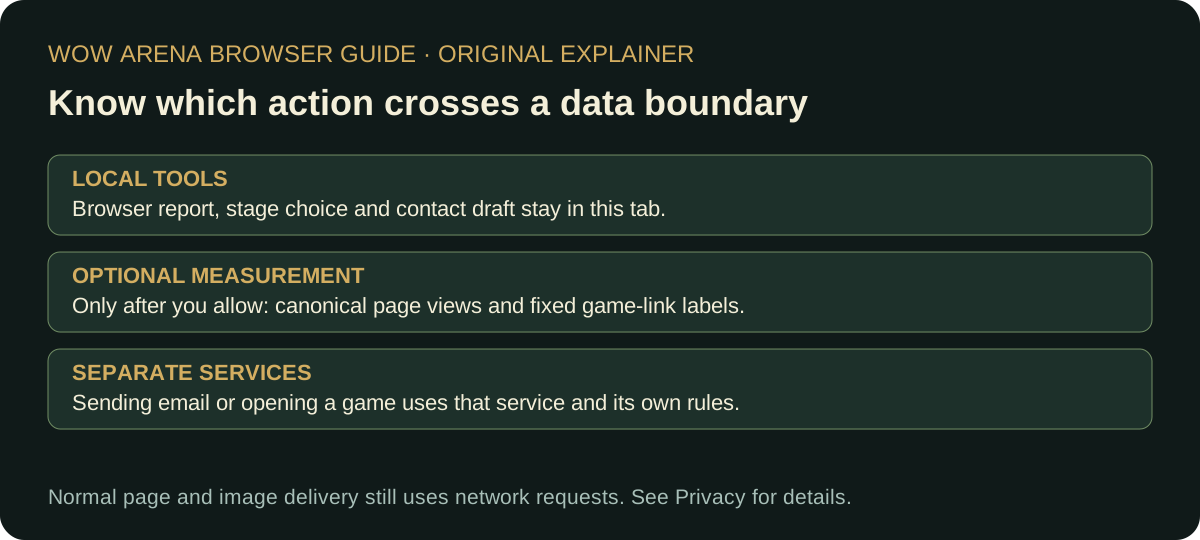
Use the stage selector below for a short next-step note. It runs in this tab and makes no request to either game. The written checklist and stage table remain readable without JavaScript. The guide is an independent troubleshooting aid, not a live outage monitor or an account-support service.
Match the symptom to the next check
| Where it stops | What to inspect | What the result does not prove |
|---|---|---|
| Before the entry screen | Original URL, visible browser message, ordinary connection to another page | That the game server is down for everyone |
| Security verification | The original page’s legitimate verification instructions | That disabling security or installing a bypass is appropriate |
| Graphics or WebAssembly warning | Run the local browser check in the browser you intend to use | That a passing feature check guarantees a playable frame rate |
| Guest sign-in or connection | Exact response, time, project and whether a character was already connected | That creating another account repairs a server error |
| World visible, low frame rate | One local workload or rendering setting at a time | That the displayed ping and FPS measure the same bottleneck |
| Queue has no opponent | Current mode, live queue information and project announcements | That controls, graphics or the whole game have failed |
Our November 2 AoC guest attempt returned a server error before a usable lobby. The November 3 visit stopped at the site’s security-verification page, so it did not reproduce the same guest request. WebWoW did reach a guest world on November 3. These records describe those attempts; they are not a current status verdict for every visitor.
Check a local browser issue without losing progress
- Write down the original project address and the visible message. Note whether the entry screen, character list or world appeared.
- Save any important unsent work in other tabs before a reload. Read the game’s own account and progress-saving prompts before changing browser storage.
- Close optional heavy tabs or applications if resources are constrained. Change one condition, reload normally and compare the same stage.
- Run local browser check. If graphics creation fails, read the result alongside the browser’s own help and current settings.
- If available, compare an ordinary second browser session without transferring credentials or deleting the original guest data. A different result narrows the environment; it does not establish a universal browser-support matrix.
Google’s Chrome troubleshooting guide explains resource and browser-crash checks. MDN’s WebGL context example explains the feature-detection approach. This site’s browser check uses a local graphics context, rather than running a game benchmark. Keep browser security protections enabled; an unofficial executable is not a verified repair.
Separate remote connection errors from local controls
If the original page loads and a guest request fails, record the response before changing unrelated graphics or key settings. Do not repeatedly create accounts, rotate identities or hammer the same request. A later normal retry may be reasonable, but a new account is not a demonstrated fix for our earlier AoC error.
If a security check needs your interaction, complete it yourself on the original website. We do not supply challenge-solving software. If the page cannot complete its own check, retain the exact visible state for the provider and continue with material that does not need that connection.
Once a world is visible, distinguish responsiveness from network delay. FPS describes rendered frames; a client-reported ping describes its own latency measurement. A single display is not a regional performance benchmark. We have not measured server tick rates, packet loss or queue populations. Do not lower graphics repeatedly to fix an unavailable opponent.
When the world loads but actions do not behave as expected
Check focus, the selected target, specialization and any stance or resource label before rebinding. The WebWoW keybinds guide records a Shadow Priest example with some wrong-stance healing actions. That is a different condition from an unresponsive page.
Change one input or binding and compare the visible label. If the browser shortcut intercepts the key, choose a combination that your own setup can deliver. Do not infer a touch-control defect from a desktop keyboard example; our phone match testing remains incomplete. A bug report should say which action you expected and what the client displayed instead.
Prepare a useful report without sharing a session
- Project and original URL; observation date and time zone.
- Failed stage and exact error text, with account names or tokens removed.
- Device, browser and input setup you actually used.
- The single check you changed and whether the same stage became reachable.
- Whether this was guest entry, an existing character or a queue; do not include passwords or session links.
Use the game’s verified community for game-account or server problems. Use our contact page for an incorrect instruction or broken link on this guide. Preparing a report here does not send it to a developer. If none of the checks changes the result, stop making unrelated changes and retain the evidence for the provider.
Source dates and the limits of this diagnosis
Primary game sources: WebWoW original site and Arena of Champions original site. World and interface observations were made November 3, 2026; the older AoC guest error is explicitly dated November 2. Browser guidance links above are maintained by the browser vendor and MDN.
No stage selection, browser result or free text is uploaded by this troubleshooting helper. Optional analytics follows the same opt-in choice as the rest of this guide. See privacy details and the guide index when you need another task.